Warera War Planner: Integrated Eco & War Build Optimizer Tool
We all use and love Warera Build Tool. It is easy to use and can generate plenty of recommended war builds within seconds. For most players, that is probably enough.
For me, however, it has some important gaps because it cannot accurately account for my economic capabilities. Its only economic setting is the number of companies you own. There are no settings for the number of workers, hybrid skills, existing money stockpiles, or other economic factors.
Since I had already created the Warera Eco Simulator, I thought: why not integrate the two tools? This would allow the optimizer to recommend war builds that better match both my economy and my preferred playstyle.
Fortunately, https://app.warera.io/user/681d8310470bf2a1423d8d16 was kind enough to share an early version of Warera Build Tool and allow me to modify and open-source it. Without him, this project would not have been possible.
Introducing WarEra War Planner
https://warera.xorgress.com/war-planner/
WarEra War Planner is very similar to WarEra Build Tool, but it has two key differences:
1. Deterministic build optimization
Instead of using NSGA-II, that Warera Build Tool uses for build optimization, War Planner performs an exact deterministic search across all available builds.
This means that every run using the same parameters will produce the same results.
2. WarEra Eco Simulator integration
War Planner is seamlessly integrated with WarEra Eco Simulator.
You can send your economic setup directly from the simulator to War Planner, then adjust it further to represent your war-mode economy.
How to Use WarEra War Planner
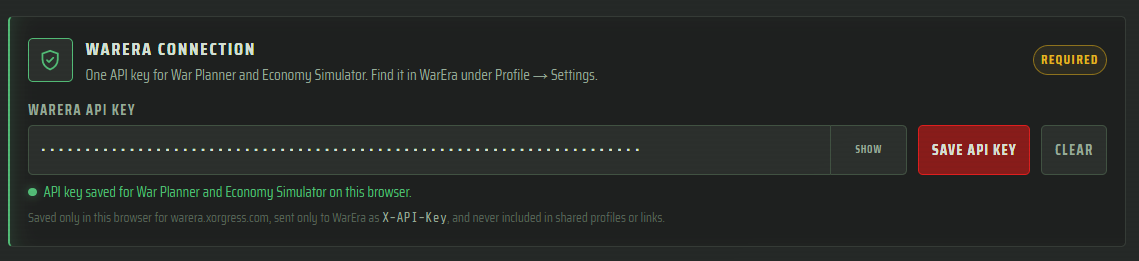
Step 1: Set up your WarEra API key
Enter your WarEra API key so the tool can access the information required to import your profile.
Step 2: Open WarEra Eco Simulator
Go directly to Warera Eco Simulator, or open it using the button provided in War Planner.

Step 3: Import and configure your profile
Import your profile into Warera Eco Simulator.
Configure the simulator so that it matches your account’s normal eco-mode or hybrid-mode setup.
Step 4: Send your setup to War Planner
Once your economic setup is ready, click the “Use in War Planner” button.
You can then adjust the imported configuration further to represent the economic setup you plan to use during war mode

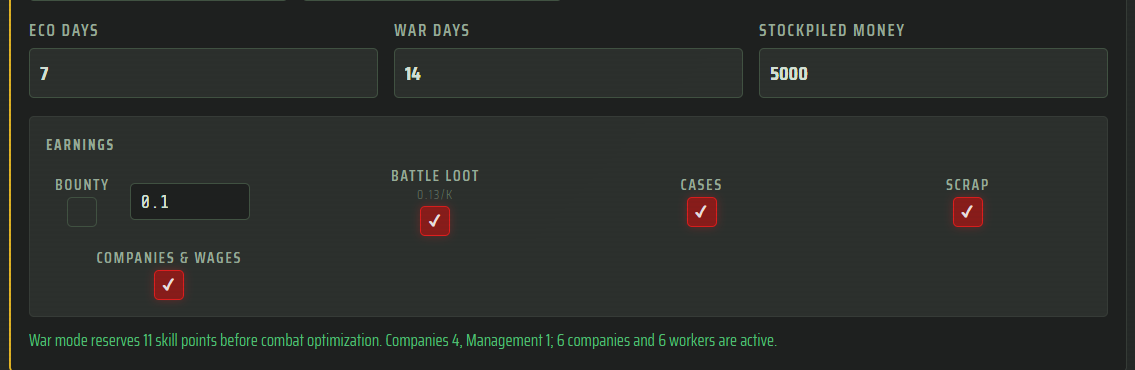
Step 5: Configure the economic parameters
Eco Days and War Days
These determine:
How many days you will remain in eco mode before entering war mode.
How many days you expect to remain in war mode.
Stockpiled Money
This is the amount of money you have available before the configured eco and war periods begin.
Earnings
These are the earnings you expect to receive during the selected period, including:
Bounties
Battle loot
Cases
Scraps
Company income
Wages during eco and war days
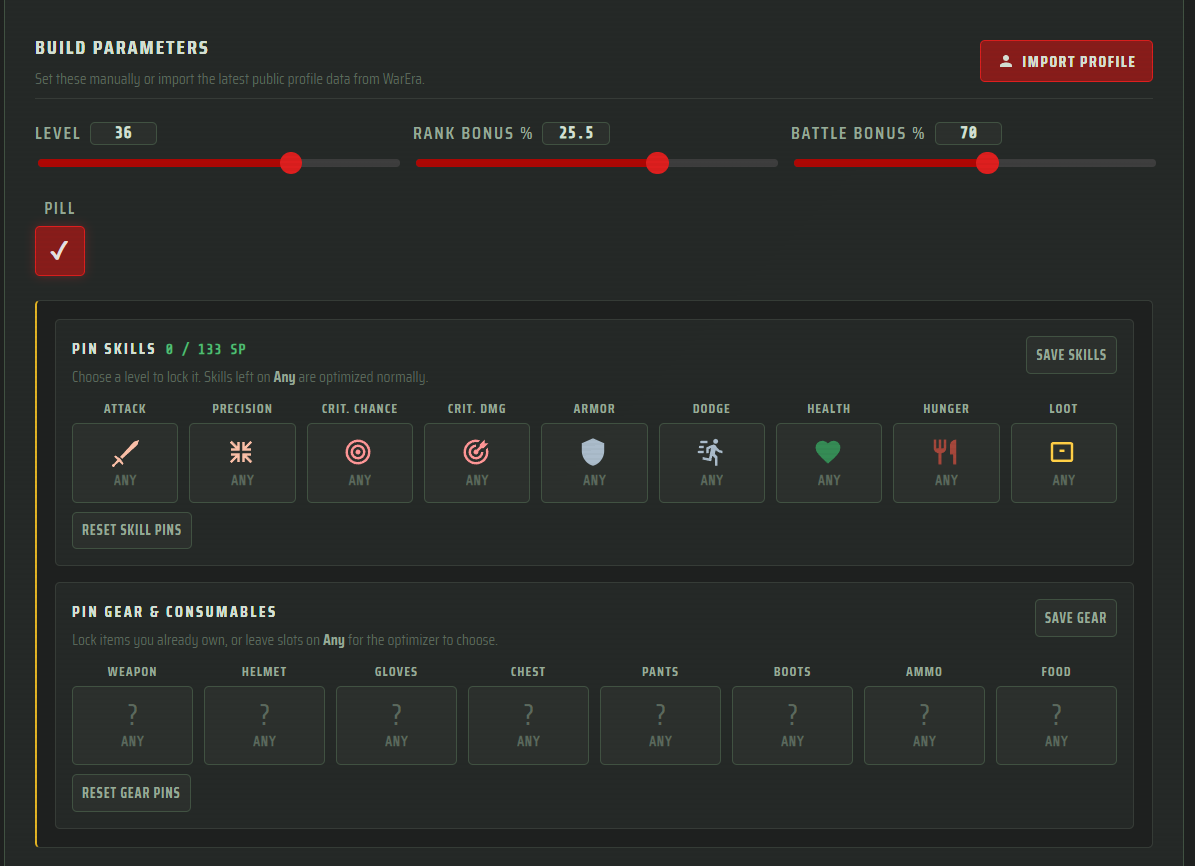
Step 6: Configure your build parameters
Import a profile or manually configure parameters such as:
Level
Rank bonus
Battle bonus
Pinned skills
Gear
Consumables
Step 7: Run the optimizer
Click the “Optimize for Best Sustainable Set” button and wait for the optimizer to generate its results.
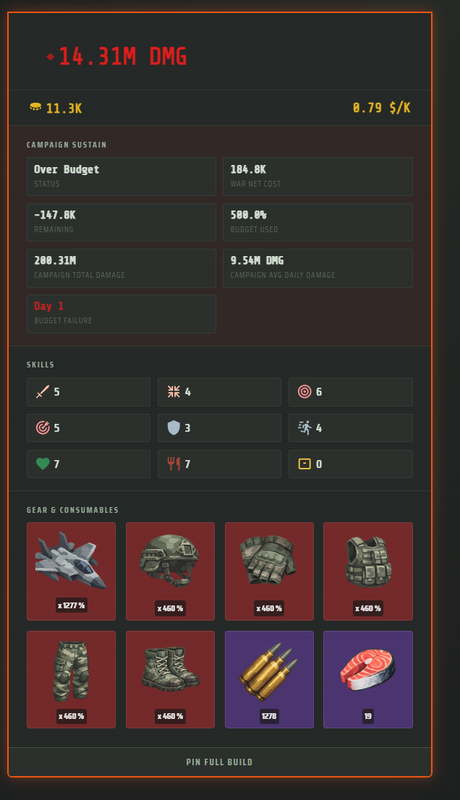
The first result, highlighted with a green outline, is the best build the tool found for your configured budget and parameters.
The remaining sustainable builds are sorted by damage, starting with lower-damage builds that use only a fraction of your available budget.
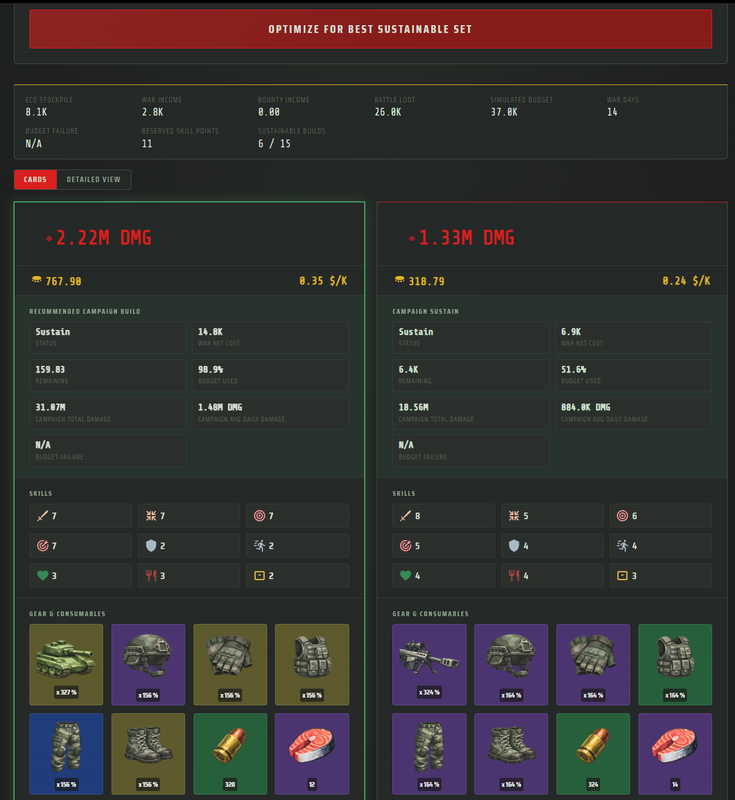
At the very bottom, the tool also displays the highest-damage build it found. This build may be exorbitantly expensive and significantly over budget, but it shows the maximum damage available within the searched build space.
Disclaimer
I do not claim that the output generated by this tool is definitively the most efficient sustainable build or the highest-damage build possible. I currently do not have enough evidence to prove that.
However, it should provide a “good enough” build that is likely better than configuring everything manually, relying on trial and error, or using multiple tools with mismatched assumptions.
The tool currently does not include earnings from missions. I consider this amount minor enough that it should not significantly affect most results.
Potential Future Updates
There are currently no promises or estimated release dates for these features.
Share Configuration Links
Similar to how sharing currently works in the Eco Simulator, I plan to add shareable links to War Planner.
Choose Your Own Build Adventure
Choose a different build for each war day. The tool would then recalculate the available budget and adjust the recommended builds for each following day.
Optimize both war and eco skills
Would be rad if the tool would optimize both your eco and war skills in a period of time right?
Inventory-Aware Optimizer
Allow the optimizer to account for items already available in your inventory.
Warera War Planner is open source and I welcome anyone to make PR, fork it, or use it for their own purposes.